

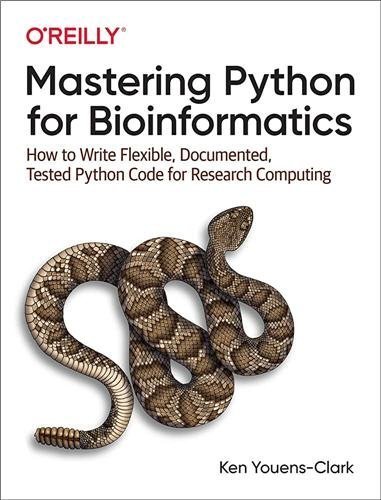
Mastering Python for Bioinformatics 1st Edition by Ken Youens-Clark, ISBN-13: 978-1098100889
Original price was: $50.00.$19.99Current price is: $19.99.
Safe & secure checkout
Description
Description
Mastering Python for Bioinformatics 1st Edition by Ken Youens-Clark, ISBN-13: 978-1098100889
[PDF eBook eTextbook]
- Publisher: O’Reilly Media; 1st edition (June 15, 2021)
- Language: English
- 454 pages
- ISBN-10: 1098100883
- ISBN-13: 978-1098100889
Life scientists today urgently need training in bioinformatics skills. Too many bioinformatics programs are poorly written and barely maintained, usually by students and researchers who’ve never learned basic programming skills. This practical guide shows postdoc bioinformatics professionals and students how to exploit the best parts of Python to solve problems in biology while creating documented, tested, reproducible software.
You should read this book if you care about the craft of programming, and if you want to learn how to write programs that produce documentation, validate their parameters, fail gracefully, and work reliably. Testing is a key skill both for understanding your code and for verifying its correctness. I’ll show you how to use the tests I’ve written as well as how to write tests for your programs.
Ken Youens-Clark, author of Tiny Python Projects (Manning), demonstrates not only how to write effective Python code but also how to use tests to write and refactor scientific programs. You’ll learn the latest Python features and tools including linters, formatters, type checkers, and tests to create documented and tested programs. You’ll also tackle 14 challenges in Rosalind, a problem-solving platform for learning bioinformatics and programming.
- Create command-line Python programs to document and validate parameters
- Write tests to verify refactor programs and confirm they’re correct
- Address bioinformatics ideas using Python data structures and modules such as Biopython
- Create reproducible shortcuts and workflows using makefiles
- Parse essential bioinformatics file formats such as FASTA and FASTQ
- Find patterns of text using regular expressions
- Use higher-order functions in Python like filter(), map(), and reduce()
Table of Contents:
Preface
Who Should Read This?
Programming Style: Why I Avoid OOP and Exceptions
Structure
Test-Driven Development
Using the Command Line and Installing Python
Getting the Code and Tests
Installing Modules
Installing the new.py Program
Why Did I Write This Book?
Conventions Used in This Book
Using Code Examples
OâReilly Online Learning
How to Contact Us
Acknowledgments
I. The Rosalind.info Challenges
1. Tetranucleotide Frequency: Counting Things
Getting Started
Creating the Program Using new.py
Using argparse
Tools for Finding Errors in the Code
Introducing Named Tuples
Adding Types to Named Tuples
Representing the Arguments with a NamedTuple
Reading Input from the Command Line or a File
Testing Your Program
Running the Program to Test the Output
Solution 1: Iterating and Counting the Characters in a String
Counting the Nucleotides
Writing and Verifying a Solution
Additional Solutions
Solution 2: Creating a count() Function and Adding a Unit Test
Solution 3: Using str.count()
Solution 4: Using a Dictionary to Count All the Characters
Solution 5: Counting Only the Desired Bases
Solution 6: Using collections.defaultdict()
Solution 7: Using collections.Counter()
Going Further
Review
2. Transcribing DNA into mRNA: Mutating Strings, Reading and Writing Files
Getting Started
Defining the Programâs Parameters
Defining an Optional Parameter
Defining One or More Required Positional Parameters
Using nargs to Define the Number of Arguments
Using argparse.FileType() to Validate File Arguments
Defining the Args Class
Outlining the Program Using Pseudocode
Iterating the Input Files
Creating the Output Filenames
Opening the Output Files
Writing the Output Sequences
Printing the Status Report
Using the Test Suite
Solutions
Solution 1: Using str.replace()
Solution 2: Using re.sub()
Benchmarking
Going Further
Review
3. Reverse Complement of DNA: String Manipulation
Getting Started
Iterating Over a Reversed String
Creating a Decision Tree
Refactoring
Solutions
Solution 1: Using a for Loop and Decision Tree
Solution 2: Using a Dictionary Lookup
Solution 3: Using a List Comprehension
Solution 4: Using str.translate()
Solution 5: Using Bio.Seq
Review
4. Creating the Fibonacci Sequence: Writing, Testing, and Benchmarking Algorithms
Getting Started
An Imperative Approach
Solutions
Solution 1: An Imperative Solution Using a List as a Stack
Solution 2: Creating a Generator Function
Solution 3: Using Recursion and Memoization
Benchmarking the Solutions
Testing the Good, the Bad, and the Ugly
Running the Test Suite on All the Solutions
Going Further
Review
5. Computing GC Content: Parsing FASTA and Analyzing Sequences
Getting Started
Get Parsing FASTA Using Biopython
Iterating the Sequences Using a for Loop
Solutions
Solution 1: Using a List
Solution 2: Type Annotations and Unit Tests
Solution 3: Keeping a Running Max Variable
Solution 4: Using a List Comprehension with a Guard
Solution 5: Using the filter() Function
Solution 6: Using the map() Function and Summing Booleans
Solution 7: Using Regular Expressions to Find Patterns
Solution 8: A More Complex find_gc() Function
Benchmarking
Going Further
Review
6. Finding the Hamming Distance: Counting Point Mutations
Getting Started
Iterating the Characters of Two Strings
Solutions
Solution 1: Iterating and Counting
Solution 2: Creating a Unit Test
Solution 3: Using the zip() Function
Solution 4: Using the zip_longest() Function
Solution 5: Using a List Comprehension
Solution 6: Using the filter() Function
Solution 7: Using the map() Function with zip_longest()
Solution 8: Using the starmap() and operator.ne() Functions
Going Further
Review
7. Translating mRNA into Protein: More Functional Programming
Getting Started
K-mers and Codons
Translating Codons
Solutions
Solution 1: Using a for Loop
Solution 2: Adding Unit Tests
Solution 3: Another Function and a List Comprehension
Solution 4: Functional Programming with the map(), partial(), and takewhile() Functions
Solution 5: Using Bio.Seq.translate()
Benchmarking
Going Further
Review
8. Find a Motif in DNA: Exploring Sequence Similarity
Getting Started
Finding Subsequences
Solutions
Solution 1: Using the str.find() Method
Solution 2: Using the str.index() Method
Solution 3: A Purely Functional Approach
Solution 4: Using K-mers
Solution 5: Finding Overlapping Patterns Using Regular Expressions
Benchmarking
Going Further
Review
9. Overlap Graphs: Sequence Assembly Using Shared K-mers
Getting Started
Managing Runtime Messages with STDOUT, STDERR, and Logging
Finding Overlaps
Grouping Sequences by the Overlap
Solutions
Solution 1: Using Set Intersections to Find Overlaps
Solution 2: Using a Graph to Find All Paths
Going Further
Review
10. Finding the Longest Shared Subsequence: Finding K-mers, Writing Functions, and Using Binary Search
Getting Started
Finding the Shortest Sequence in a FASTA File
Extracting K-mers from a Sequence
Solutions
Solution 1: Counting Frequencies of K-mers
Solution 2: Speeding Things Up with a Binary Search
Going Further
Review
11. Finding a Protein Motif: Fetching Data and Using Regular Expressions
Getting Started
Downloading Sequences Files on the Command Line
Downloading Sequences Files with Python
Writing a Regular Expression to Find the Motif
Solutions
Solution 1: Using a Regular Expression
Solution 2: Writing a Manual Solution
Going Further
Review
12. Inferring mRNA from Protein: Products and Reductions of Lists
Getting Started
Creating the Product of Lists
Avoiding Overflow with Modular Multiplication
Solutions
Solution 1: Using a Dictionary for the RNA Codon Table
Solution 2: Turn the Beat Around
Solution 3: Encoding the Minimal Information
Going Further
Review
13. Location Restriction Sites: Using, Testing, and Sharing Code
Getting Started
Finding All Subsequences Using K-mers
Finding All Reverse Complements
Putting It All Together
Solutions
Solution 1: Using the zip() and enumerate() Functions
Solution 2: Using the operator.eq() Function
Solution 3: Writing a revp() Function
Testing the Program
Going Further
Review
14. Finding Open Reading Frames
Getting Started
Translating Proteins Inside Each Frame
Finding the ORFs in a Protein Sequence
Solutions
Solution 1: Using the str.index() Function
Solution 2: Using the str.partition() Function
Solution 3: Using a Regular Expression
Going Further
Review
II. Other Programs
15. Seqmagique: Creating and Formatting Reports
Using Seqmagick to Analyze Sequence Files
Checking Files Using MD5 Hashes
Getting Started
Formatting Text Tables Using tabulate()
Solutions
Solution 1: Formatting with tabulate()
Solution 2: Formatting with rich
Going Further
Review
16. FASTX grep: Creating a Utility Program to Select Sequences
Finding Lines in a File Using grep
The Structure of a FASTQ Record
Getting Started
Guessing the File Format
Solution
Going Further
Review
17. DNA Synthesizer: Creating Synthetic Data with Markov Chains
Understanding Markov Chains
Getting Started
Understanding Random Seeds
Reading the Training Files
Generating the Sequences
Structuring the Program
Solution
Going Further
Review
18. FASTX Sampler: Randomly Subsampling Sequence Files
Getting Started
Reviewing the Program Parameters
Defining the Parameters
Nondeterministic Sampling
Structuring the Program
Solutions
Solution 1: Reading Regular Files
Solution 2: Reading a Large Number of Compressed Files
Going Further
Review
19. Blastomatic: Parsing Delimited Text Files
Introduction to BLAST
Using csvkit and csvchk
Getting Started
Defining the Arguments
Parsing Delimited Text Files Using the csv Module
Parsing Delimited Text Files Using the pandas Module
Solutions
Solution 1: Manually Joining the Tables Using Dictionaries
Solution 2: Writing the Output File with csv.DictWriter()
Solution 3: Reading and Writing Files Using pandas
Solution 4: Joining Files Using pandas
Going Further
Review
A. Documenting Commands and Creating Workflows with make
Makefiles Are Recipes
Running a Specific Target
Running with No Target
Makefiles Create DAGs
Using make to Compile a C Program
Using make for a Shortcut
Defining Variables
Writing a Workflow
Other Workflow Managers
Further Reading
B. Understanding $PATH and Installing Command-Line Programs
Epilogue
Index
About the Author
Ken Youens-Clark works as a Data Engineer at The Critical Path Institute where he helps partners in industry, academia, and government find novel drug therapies for diseases ranging from cancer and tuberculosis to thousands of rare diseases. His career in bioinformatics began in 2001 when he joined a plant genomics project at Cold Spring Harbor Laboratory under the direction of Dr. Lincoln Stein, a prominent author of books and modules in Perl and an early advocate for open software, data, and science. In 2014 Ken moved to Tucson, AZ, to work as a Senior Scientific Programmer at the University of Arizona where he completed a MS in Biosystems Engineering in 2019. While at UA, Ken enjoyed teaching programming and bioinformatics skills, and used some of those ideas in his first book, Tiny Python Projects (Manning, 2020), which uses a test-driven development approach to teaching Python.
What makes us different?
• Instant Download
• Always Competitive Pricing
• 100% Privacy
• FREE Sample Available
• 24-7 LIVE Customer Support
Reviews
There are no reviews yet.