
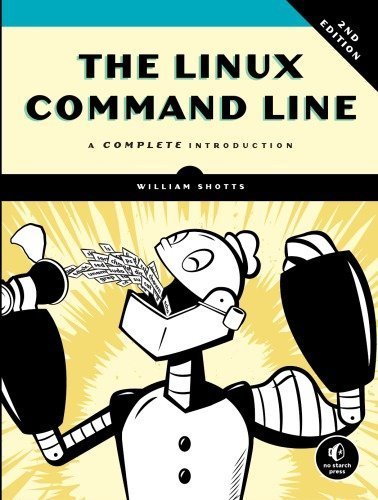
The Linux Command Line: A Complete Introduction 2nd Edition by William Shotts, ISBN-13: 978-1593279523
Original price was: $50.00.$9.99Current price is: $9.99.
Safe & secure checkout
Description
Description
The Linux Command Line: A Complete Introduction 2nd Edition by William Shotts, ISBN-13: 978-1593279523
[PDF eBook eTextbook] – Available Instantly
- Publisher: No Starch Press
- Publication date: March 7, 2019
- Edition: 2nd
- Language: English
- 504 pages
- ISBN-10: 1593279523
- ISBN-13: 978-1593279523
You’ve experienced the shiny, point-and-click surface of your Linux computer—now dive below and explore its depths with the power of the command line.
The Linux Command Line takes you from your very first terminal keystrokes to writing full programs in Bash, the most popular Linux shell (or command line). Along the way you’ll learn the timeless skills handed down by generations of experienced, mouse-shunning gurus: file navigation, environment configuration, command chaining, pattern matching with regular expressions, and more.
In addition to that practical knowledge, author William Shotts reveals the philosophy behind these tools and the rich heritage that your desktop Linux machine has inherited from Unix supercomputers of yore.
As you make your way through the book’s short, easily-digestible chapters, you’ll learn how to:
Table of Contents:
Cover Page
Title Page
Copyright Page
Dedication
About the Author
About the Technical Reviewer
BRIEF CONTENTS
CONTENTS IN DETAIL
ACKNOWLEDGMENTS
First Edition
Second Edition
INTRODUCTION
Why Use the Command Line?
What This Book Is About
Who Should Read This Book
What’s in This Book
How to Read This Book
What’s New in the Second Edition
Your Feedback Is Needed!
PART I: LEARNING THE SHELL
1 WHAT IS THE SHELL?
Terminal Emulators
Making Your First Keystrokes
Try Some Simple Commands
Ending a Terminal Session
Summing Up
2 NAVIGATION
Understanding the File System Tree
The Current Working Directory
Listing the Contents of a Directory
Changing the Current Working Directory
Summing Up
3 EXPLORING THE SYSTEM
More Fun with ls
Determining a File’s Type with file
Viewing File Contents with less
Taking a Guided Tour
Symbolic Links
Hard Links
Summing Up
4 MANIPULATING FILES AND DIRECTORIES
Wildcards
mkdir—Create Directories
cp—Copy Files and Directories
mv—Move and Rename Files
rm—Remove Files and Directories
ln—Create Links
Building a Playground
Summing Up
5 WORKING WITH COMMANDS
What Exactly Are Commands?
Identifying Commands
Getting a Command’s Documentation
Creating Our Own Commands with alias
Summing Up
6 REDIRECTION
Standard Input, Output, and Error
Redirecting Standard Output
Redirecting Standard Error
Redirecting Standard Input
Pipelines
Summing Up
7 SEEING THE WORLD AS THE SHELL SEES IT
Expansion
Quoting
Summing Up
8 ADVANCED KEYBOARD TRICKS
Command Line Editing
Completion
Using History
Summing Up
9 PERMISSIONS
Owners, Group Members, and Everybody Else
Reading, Writing, and Executing
Changing Identities
Exercising Our Privileges
Changing Your Password
Summing Up
10 PROCESSES
How a Process Works
Viewing Processes
Controlling Processes
Signals
Shutting Down the System
More Process-Related Commands
Summing Up
PART II: CONFIGURATION AND THE ENVIRONMENT
11 THE ENVIRONMENT
What Is Stored in the Environment?
How Is the Environment Established?
Modifying the Environment
Summing Up
12 A GENTLE INTRODUCTION TO VI
Why We Should Learn vi
A Little Background
Starting and Stopping vi
Editing Modes
Moving the Cursor Around
Basic Editing
Search-and-Replace
Editing Multiple Files
Saving Our Work
Summing Up
13 CUSTOMIZING THE PROMPT
Anatomy of a Prompt
Trying Some Alternative Prompt Designs
Adding Color
Moving the Cursor
Saving the Prompt
Summing Up
PART III: COMMON TASKS AND ESSENTIAL TOOLS
14 PACKAGE MANAGEMENT
Packaging Systems
How a Package System Works
Common Package Management Tasks
Summing Up
15 STORAGE MEDIA
Mounting and Unmounting Storage Devices
Creating New File Systems
Testing and Repairing File Systems
Moving Data Directly to and from Devices
Writing CD-ROM Images
Summing Up
Extra Credit
16 NETWORKING
Examining and Monitoring a Network
Transporting Files over a Network
Secure Communication with Remote Hosts
Summing Up
17 SEARCHING FOR FILES
locate—Find Files the Easy Way
find—Find Files the Hard Way
Summing Up
18 ARCHIVING AND BACKUP
Compressing Files
Archiving Files
Synchronizing Files and Directories
Summing Up
19 REGULAR EXPRESSIONS
What Are Regular Expressions?
grep
Metacharacters and Literals
The Any Character
Anchors
Bracket Expressions and Character Classes
POSIX Character Classes
POSIX Basic vs. Extended Regular Expressions
Alternation
Quantifiers
Putting Regular Expressions to Work
Summing Up
20 TEXT PROCESSING
Applications of Text
Revisiting Some Old Friends
Slicing and Dicing
Comparing Text
Editing on the Fly
Summing Up
Extra Credit
21 FORMATTING OUTPUT
Simple Formatting Tools
Document Formatting Systems
Summing Up
22 PRINTING
A Brief History of Printing
Printing with Linux
Preparing Files for Printing
Sending a Print Job to a Printer
Monitoring and Controlling Print Jobs
Summing Up
23 COMPILING PROGRAMS
What Is Compiling?
Compiling a C Program
Summing Up
PART IV: WRITING SHELL SCRIPTS
24 WRITING YOUR FIRST SCRIPT
What Are Shell Scripts?
How to Write a Shell Script
More Formatting Tricks
Summing Up
25 STARTING A PROJECT
First Stage: Minimal Document
Second Stage: Adding a Little Data
Variables and Constants
Here Documents
Summing Up
26 TOP-DOWN DESIGN
Shell Functions
Local Variables
Keep Scripts Running
Summing Up
27 FLOW CONTROL: BRANCHING WITH IF
if Statements
Exit Status
Using test
A More Modern Version of test
(( ))—Designed for Integers
Combining Expressions
Control Operators: Another Way to Branch
Summing Up
28 READING KEYBOARD INPUT
read—Read Values from Standard Input
Validating Input
Menus
Summing Up
Extra Credit
29 FLOW CONTROL: LOOPING WITH WHILE/UNTIL
Looping
Breaking Out of a Loop
Reading Files with Loops
Summing Up
30 TROUBLESHOOTING
Syntactic Errors
Logical Errors
Testing
Debugging
Summing Up
31 FLOW CONTROL: BRANCHING WITH CASE
The case Command
Summing Up
32 POSITIONAL PARAMETERS
Accessing the Command Line
Handling Positional Parameters en Masse
A More Complete Application
Summing Up
33 FLOW CONTROL: LOOPING WITH FOR
for: Traditional Shell Form
for: C Language Form
Summing Up
34 STRINGS AND NUMBERS
Parameter Expansion
Arithmetic Evaluation and Expansion
bc—An Arbitrary Precision Calculator Language
Summing Up
Extra Credit
35 ARRAYS
What Are Arrays?
Creating an Array
Assigning Values to an Array
Accessing Array Elements
Array Operations
Associative Arrays
Summing Up
36 EXOTICA
Group Commands and Subshells
Traps
Asynchronous Execution with wait
Named Pipes
Summing Up
INDEX
What makes us different?
• Instant Download
• Always Competitive Pricing
• 100% Privacy
• FREE Sample Available
• 24-7 LIVE Customer Support