
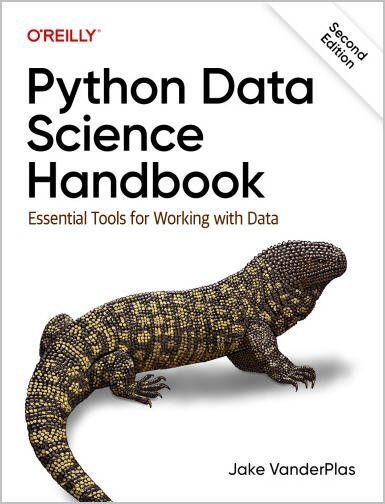
Python Data Science Handbook: Essential Tools for Working with Data 2nd Edition, ISBN-13: 978-1098121228
Original price was: $50.00.$19.99Current price is: $19.99.
Safe & secure checkout
Description
Description
Python Data Science Handbook: Essential Tools for Working with Data 2nd Edition, ISBN-13: 978-1098121228
[PDF eBook eTextbook] – Available Instantly
- Publisher : O’Reilly Media
- Publication date : January 17, 2023
- Edition : 2nd
- Language : English
- 588 pages
- ISBN-10 : 1098121228
- ISBN-13 : 978-1098121228
Python is a first-class tool for many researchers, primarily because of its libraries for storing, manipulating, and gaining insight from data. Several resources exist for individual pieces of this data science stack, but only with the new edition of Python Data Science Handbook do you get them all—IPython, NumPy, pandas, Matplotlib, Scikit-Learn, and other related tools.
Working scientists and data crunchers familiar with reading and writing Python code will find the second edition of this comprehensive desk reference ideal for tackling day-to-day issues: manipulating, transforming, and cleaning data; visualizing different types of data; and using data to build statistical or machine learning models. Quite simply, this is the must-have reference for scientific computing in Python.
With this handbook, you’ll learn how:
- IPython and Jupyter provide computational environments for scientists using Python
- NumPy includes the ndarray for efficient storage and manipulation of dense data arrays
- Pandas contains the DataFrame for efficient storage and manipulation of labeled/columnar data
- Matplotlib includes capabilities for a flexible range of data visualizations
- Scikit-learn helps you build efficient and clean Python implementations of the most important and established machine learning algorithms
Table of Contents:
Preface
What Is Data Science?
Who Is This Book For?
Why Python?
Outline of the Book
Installation Considerations
Conventions Used in This Book
Using Code Examples
O’Reilly Online Learning
How to Contact Us
I. Jupyter: Beyond Normal Python
1. Getting Started in IPython and Jupyter
Launching the IPython Shell
Launching the Jupyter Notebook
Help and Documentation in IPython
Accessing Documentation with ?
Accessing Source Code with ??
Exploring Modules with Tab Completion
Keyboard Shortcuts in the IPython Shell
Navigation Shortcuts
Text Entry Shortcuts
Command History Shortcuts
Miscellaneous Shortcuts
2. Enhanced Interactive Features
IPython Magic Commands
Running External Code: %run
Timing Code Execution: %timeit
Help on Magic Functions: ?, %magic, and %lsmagic
Input and Output History
IPython’s In and Out Objects
Underscore Shortcuts and Previous Outputs
Suppressing Output
Related Magic Commands
IPython and Shell Commands
Quick Introduction to the Shell
Shell Commands in IPython
Passing Values to and from the Shell
Shell-Related Magic Commands
3. Debugging and Profiling
Errors and Debugging
Controlling Exceptions: %xmode
Debugging: When Reading Tracebacks Is Not Enough
Profiling and Timing Code
Timing Code Snippets: %timeit and %time
Profiling Full Scripts: %prun
Line-by-Line Profiling with %lprun
Profiling Memory Use: %memit and %mprun
More IPython Resources
Web Resources
Books
II. Introduction to NumPy
4. Understanding Data Types in Python
A Python Integer Is More Than Just an Integer
A Python List Is More Than Just a List
Fixed-Type Arrays in Python
Creating Arrays from Python Lists
Creating Arrays from Scratch
NumPy Standard Data Types
5. The Basics of NumPy Arrays
NumPy Array Attributes
Array Indexing: Accessing Single Elements
Array Slicing: Accessing Subarrays
One-Dimensional Subarrays
Multidimensional Subarrays
Subarrays as No-Copy Views
Creating Copies of Arrays
Reshaping of Arrays
Array Concatenation and Splitting
Concatenation of Arrays
Splitting of Arrays
6. Computation on NumPy Arrays: Universal Functions
The Slowness of Loops
Introducing Ufuncs
Exploring NumPy’s Ufuncs
Array Arithmetic
Absolute Value
Trigonometric Functions
Exponents and Logarithms
Specialized Ufuncs
Advanced Ufunc Features
Specifying Output
Aggregations
Outer Products
Ufuncs: Learning More
7. Aggregations: min, max, and Everything in Between
Summing the Values in an Array
Minimum and Maximum
Multidimensional Aggregates
Other Aggregation Functions
Example: What Is the Average Height of US Presidents?
8. Computation on Arrays: Broadcasting
Introducing Broadcasting
Rules of Broadcasting
Broadcasting Example 1
Broadcasting Example 2
Broadcasting Example 3
Broadcasting in Practice
Centering an Array
Plotting a Two-Dimensional Function
9. Comparisons, Masks, and Boolean Logic
Example: Counting Rainy Days
Comparison Operators as Ufuncs
Working with Boolean Arrays
Counting Entries
Boolean Operators
Boolean Arrays as Masks
Using the Keywords and/or Versus the Operators &/|
10. Fancy Indexing
Exploring Fancy Indexing
Combined Indexing
Example: Selecting Random Points
Modifying Values with Fancy Indexing
Example: Binning Data
11. Sorting Arrays
Fast Sorting in NumPy: np.sort and np.argsort
Sorting Along Rows or Columns
Partial Sorts: Partitioning
Example: k-Nearest Neighbors
12. Structured Data: NumPy’s Structured Arrays
Exploring Structured Array Creation
More Advanced Compound Types
Record Arrays: Structured Arrays with a Twist
On to Pandas
III. Data Manipulation with Pandas
13. Introducing Pandas Objects
The Pandas Series Object
Series as Generalized NumPy Array
Series as Specialized Dictionary
Constructing Series Objects
The Pandas DataFrame Object
DataFrame as Generalized NumPy Array
DataFrame as Specialized Dictionary
Constructing DataFrame Objects
The Pandas Index Object
Index as Immutable Array
Index as Ordered Set
14. Data Indexing and Selection
Data Selection in Series
Series as Dictionary
Series as One-Dimensional Array
Indexers: loc and iloc
Data Selection in DataFrames
DataFrame as Dictionary
DataFrame as Two-Dimensional Array
Additional Indexing Conventions
15. Operating on Data in Pandas
Ufuncs: Index Preservation
Ufuncs: Index Alignment
Index Alignment in Series
Index Alignment in DataFrames
Ufuncs: Operations Between DataFrames and Series
16. Handling Missing Data
Trade-offs in Missing Data Conventions
Missing Data in Pandas
None as a Sentinel Value
NaN: Missing Numerical Data
NaN and None in Pandas
Pandas Nullable Dtypes
Operating on Null Values
Detecting Null Values
Dropping Null Values
Filling Null Values
17. Hierarchical Indexing
A Multiply Indexed Series
The Bad Way
The Better Way: The Pandas MultiIndex
MultiIndex as Extra Dimension
Methods of MultiIndex Creation
Explicit MultiIndex Constructors
MultiIndex Level Names
MultiIndex for Columns
Indexing and Slicing a MultiIndex
Multiply Indexed Series
Multiply Indexed DataFrames
Rearranging Multi-Indexes
Sorted and Unsorted Indices
Stacking and Unstacking Indices
Index Setting and Resetting
18. Combining Datasets: concat and append
Recall: Concatenation of NumPy Arrays
Simple Concatenation with pd.concat
Duplicate Indices
Concatenation with Joins
The append Method
19. Combining Datasets: merge and join
Relational Algebra
Categories of Joins
One-to-One Joins
Many-to-One Joins
Many-to-Many Joins
Specification of the Merge Key
The on Keyword
The left_on and right_on Keywords
The left_index and right_index Keywords
Specifying Set Arithmetic for Joins
Overlapping Column Names: The suffixes Keyword
Example: US States Data
20. Aggregation and Grouping
Planets Data
Simple Aggregation in Pandas
groupby: Split, Apply, Combine
Split, Apply, Combine
The GroupBy Object
Aggregate, Filter, Transform, Apply
Specifying the Split Key
Grouping Example
21. Pivot Tables
Motivating Pivot Tables
Pivot Tables by Hand
Pivot Table Syntax
Multilevel Pivot Tables
Additional Pivot Table Options
Example: Birthrate Data
22. Vectorized String Operations
Introducing Pandas String Operations
Tables of Pandas String Methods
Methods Similar to Python String Methods
Methods Using Regular Expressions
Miscellaneous Methods
Example: Recipe Database
A Simple Recipe Recommender
Going Further with Recipes
23. Working with Time Series
Dates and Times in Python
Native Python Dates and Times: datetime and dateutil
Typed Arrays of Times: NumPy’s datetime64
Dates and Times in Pandas: The Best of Both Worlds
Pandas Time Series: Indexing by Time
Pandas Time Series Data Structures
Regular Sequences: pd.date_range
Frequencies and Offsets
Resampling, Shifting, and Windowing
Resampling and Converting Frequencies
Time Shifts
Rolling Windows
Example: Visualizing Seattle Bicycle Counts
Visualizing the Data
Digging into the Data
24. High-Performance Pandas: eval and query
Motivating query and eval: Compound Expressions
pandas.eval for Efficient Operations
DataFrame.eval for Column-Wise Operations
Assignment in DataFrame.eval
Local Variables in DataFrame.eval
The DataFrame.query Method
Performance: When to Use These Functions
Further Resources
IV. Visualization with Matplotlib
25. General Matplotlib Tips
Importing Matplotlib
Setting Styles
show or No show? How to Display Your Plots
Plotting from a Script
Plotting from an IPython Shell
Plotting from a Jupyter Notebook
Saving Figures to File
Two Interfaces for the Price of One
26. Simple Line Plots
Adjusting the Plot: Line Colors and Styles
Adjusting the Plot: Axes Limits
Labeling Plots
Matplotlib Gotchas
27. Simple Scatter Plots
Scatter Plots with plt.plot
Scatter Plots with plt.scatter
plot Versus scatter: A Note on Efficiency
Visualizing Uncertainties
Basic Errorbars
Continuous Errors
28. Density and Contour Plots
Visualizing a Three-Dimensional Function
Histograms, Binnings, and Density
Two-Dimensional Histograms and Binnings
plt.hist2d: Two-Dimensional Histogram
plt.hexbin: Hexagonal Binnings
Kernel Density Estimation
29. Customizing Plot Legends
Choosing Elements for the Legend
Legend for Size of Points
Multiple Legends
30. Customizing Colorbars
Customizing Colorbars
Choosing the Colormap
Color Limits and Extensions
Discrete Colorbars
Example: Handwritten Digits
31. Multiple Subplots
plt.axes: Subplots by Hand
plt.subplot: Simple Grids of Subplots
plt.subplots: The Whole Grid in One Go
plt.GridSpec: More Complicated Arrangements
32. Text and Annotation
Example: Effect of Holidays on US Births
Transforms and Text Position
Arrows and Annotation
33. Customizing Ticks
Major and Minor Ticks
Hiding Ticks or Labels
Reducing or Increasing the Number of Ticks
Fancy Tick Formats
Summary of Formatters and Locators
34. Customizing Matplotlib: Configurations and Stylesheets
Plot Customization by Hand
Changing the Defaults: rcParams
Stylesheets
Default Style
FiveThiryEight Style
ggplot Style
Bayesian Methods for Hackers Style
Dark Background Style
Grayscale Style
Seaborn Style
35. Three-Dimensional Plotting in Matplotlib
Three-Dimensional Points and Lines
Three-Dimensional Contour Plots
Wireframes and Surface Plots
Surface Triangulations
Example: Visualizing a Möbius Strip
36. Visualization with Seaborn
Exploring Seaborn Plots
Histograms, KDE, and Densities
Pair Plots
Faceted Histograms
Categorical Plots
Joint Distributions
Bar Plots
Example: Exploring Marathon Finishing Times
Further Resources
Other Python Visualization Libraries
V. Machine Learning
37. What Is Machine Learning?
Categories of Machine Learning
Qualitative Examples of Machine Learning Applications
Classification: Predicting Discrete Labels
Regression: Predicting Continuous Labels
Clustering: Inferring Labels on Unlabeled Data
Dimensionality Reduction: Inferring Structure of Unlabeled Data
Summary
38. Introducing Scikit-Learn
Data Representation in Scikit-Learn
The Features Matrix
The Target Array
The Estimator API
Basics of the API
Supervised Learning Example: Simple Linear Regression
Supervised Learning Example: Iris Classification
Unsupervised Learning Example: Iris Dimensionality
Unsupervised Learning Example: Iris Clustering
Application: Exploring Handwritten Digits
Loading and Visualizing the Digits Data
Unsupervised Learning Example: Dimensionality Reduction
Classification on Digits
Summary
39. Hyperparameters and Model Validation
Thinking About Model Validation
Model Validation the Wrong Way
Model Validation the Right Way: Holdout Sets
Model Validation via Cross-Validation
Selecting the Best Model
The Bias-Variance Trade-off
Validation Curves in Scikit-Learn
Learning Curves
Validation in Practice: Grid Search
Summary
40. Feature Engineering
Categorical Features
Text Features
Image Features
Derived Features
Imputation of Missing Data
Feature Pipelines
41. In Depth: Naive Bayes Classification
Bayesian Classification
Gaussian Naive Bayes
Multinomial Naive Bayes
Example: Classifying Text
When to Use Naive Bayes
42. In Depth: Linear Regression
Simple Linear Regression
Basis Function Regression
Polynomial Basis Functions
Gaussian Basis Functions
Regularization
Ridge Regression (L2 Regularization)
Lasso Regression (L1 Regularization)
Example: Predicting Bicycle Traffic
43. In Depth: Support Vector Machines
Motivating Support Vector Machines
Support Vector Machines: Maximizing the Margin
Fitting a Support Vector Machine
Beyond Linear Boundaries: Kernel SVM
Tuning the SVM: Softening Margins
Example: Face Recognition
Summary
44. In Depth: Decision Trees and Random Forests
Motivating Random Forests: Decision Trees
Creating a Decision Tree
Decision Trees and Overfitting
Ensembles of Estimators: Random Forests
Random Forest Regression
Example: Random Forest for Classifying Digits
Summary
45. In Depth: Principal Component Analysis
Introducing Principal Component Analysis
PCA as Dimensionality Reduction
PCA for Visualization: Handwritten Digits
What Do the Components Mean?
Choosing the Number of Components
PCA as Noise Filtering
Example: Eigenfaces
Summary
46. In Depth: Manifold Learning
Manifold Learning: “HELLO”
Multidimensional Scaling
MDS as Manifold Learning
Nonlinear Embeddings: Where MDS Fails
Nonlinear Manifolds: Locally Linear Embedding
Some Thoughts on Manifold Methods
Example: Isomap on Faces
Example: Visualizing Structure in Digits
47. In Depth: k-Means Clustering
Introducing k-Means
Expectation–Maximization
Examples
Example 1: k-Means on Digits
Example 2: k-Means for Color Compression
48. In Depth: Gaussian Mixture Models
Motivating Gaussian Mixtures: Weaknesses of k-Means
Generalizing E–M: Gaussian Mixture Models
Choosing the Covariance Type
Gaussian Mixture Models as Density Estimation
Example: GMMs for Generating New Data
49. In Depth: Kernel Density Estimation
Motivating Kernel Density Estimation: Histograms
Kernel Density Estimation in Practice
Selecting the Bandwidth via Cross-Validation
Example: Not-so-Naive Bayes
Anatomy of a Custom Estimator
Using Our Custom Estimator
50. Application: A Face Detection Pipeline
HOG Features
HOG in Action: A Simple Face Detector
1. Obtain a Set of Positive Training Samples
2. Obtain a Set of Negative Training Samples
3. Combine Sets and Extract HOG Features
4. Train a Support Vector Machine
5. Find Faces in a New Image
Caveats and Improvements
Further Machine Learning Resources
Index
About the Author
Jake VanderPlas is a software engineer at Google Research, working on tools that support data-intensive research. He creates and develops Python tools for use in data-intensive science, including packages like Scikit-Learn, SciPy, AstroPy, Altair, JAX, and many others. He participates in the broader data science community, developing and presenting talks and tutorials on scientific computing topics at various conferences in the data science world.
What makes us different?
• Instant Download
• Always Competitive Pricing
• 100% Privacy
• FREE Sample Available
• 24-7 LIVE Customer Support