

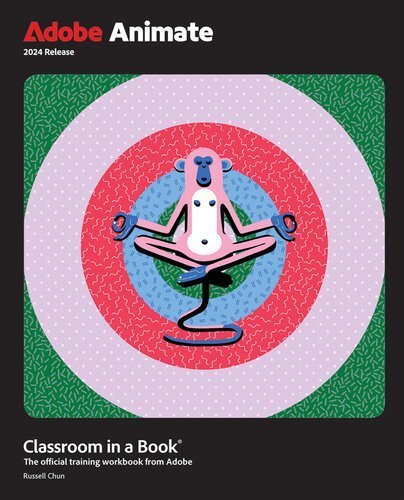
Adobe Animate Classroom in a Book 2024 Release by Russell Chun, ISBN-13: 978-0138317713
Original price was: $50.00.$19.99Current price is: $19.99.
Safe & secure checkout
Description
Description
Adobe Animate Classroom in a Book 2024 Release by Russell Chun, ISBN-13: 978-0138317713
[PDF eBook eTextbook]
- Publisher: Adobe Press; 1st edition (2024)
- Language: English
- ISBN-10: 0138317712
- ISBN-13: 978-0138317713
The fastest, easiest, most comprehensive way to learn Adobe Animate! Classroom in a Book®, the best-selling series of hands-on software training workbooks, offers what no other book or training program does—an official training series from Adobe, developed with the support of Adobe product experts. Adobe Animate Classroom in a Book 2024 Release contains 10 lessons that cover the basics and beyond, providing countless tips and techniques to help you become more productive with the application. You can follow the book from start to finish or choose only those lessons that interest you. The 2024 release of Adobe Animate brings significant performance boosts through native Apple Silicon M1 and M2 support to unleash your productivity and creativity. A sleek new user interface delivers a consistent experience across Creative Cloud applications. Enhancements to animation controls and publishing options for SVG, WebGL, HTML5, animated GIFs, and HD broadcast video make Adobe Animate the continuing go-to choice for animation, multimedia, and interactive media. Purchasing this book includes valuable online extras. Follow the instructions in the book’s “Getting Started” section to unlock access to: Downloadable lesson files you need to work through the projects in the book Web Edition containing the complete text of the book, interactive quizzes, and videos that walk you through the lessons step by step What you need to use this book: Adobe Animate 2024 Release software, for either Windows or macOS. (Software not included.) Note: Classroom in a Book does not replace the documentation, support, updates, or any other benefits of being a registered owner of Adobe Animate software. “I have relied on the Adobe Classroom in a Book series for years. They are always comprehensive, and give you a solid balance between new features and the fundamentals. They are always the recommended centerpiece of my training classrooms!” Mike Witherell, Adobe Certified Expert TrainingOnsite.com “Learn smart with Classroom in a Book series! This is the ‘go-to’ resource for Adobe professionals—users, educators, and Certified Instructors.” Christine Abunassar, CEO, ThinkB!G.LearnSmart Apple & Adobe & Microsoft Authorized Training Center.
Table of Contents:
Cover Page
Title Page
Copyright Page
Where are the Lesson Files?
Contents at a Glance
Contents
Getting Started
About Classroom in a Book
What’s new
Prerequisites
Installing Animate
Online content
How to use the lessons
Additional resources
Adobe Authorized Training Centers
About the Author
1. Getting Acquainted
Starting Adobe Animate and opening a file
Understanding document types and creating a new document
Getting to know the workspace
Working with the Library panel
Understanding the Timeline panel
Organizing layers in a timeline
Using the Properties panel
Using the Tools panel
Adding layer effects
Undoing steps in Animate
Previewing and exporting your movie
Modifying the content and Stage
Saving your movie
Review questions
Review answers
2. Creating Graphics and Text
Getting started
Understanding strokes and fills
Creating shapes
Making selections
Editing shapes
Using variable-width strokes
Organizing your drawing
Using brushes
Creating curves
Using brush mode options
About symbols
Creating symbols
Managing symbol instances
Using gradient fills
Using transparency to create depth
Applying filters and color effects
Creating and editing text
Aligning and distributing objects
Sharing your final project
Collaborating via the Assets panel
Review questions
Review answers
3. Animating Symbols with Classic Tweens
Getting started
About animation
Importing Photoshop assets
Animating position
Animating scale
Animating multiple properties
Changing the pacing and timing
Animating transparency
Easing
Animating filters
Automatic rotations
Creating a path for motion
Creating nested animations
Editing multiple frames
Adding a 3D title
Exporting your final movie
Review questions
Review answers
4. Layer Parenting and Character Animation
Getting started
Layer parenting
Tweening instances in connected layers
Graphic symbols for lip-syncing dialogue
Review questions
Review answers
5. Animating with Modern Rigging
Getting started
What is modern rigging?
Using the Asset Warp tool
Editing your rig
Animating your rig
Organizing warped assets
Editing warped assets
Rigs with branching joints
Warp options
Propagating rig edits
Single joints
Using Flexi bones
Making envelope deformations
Review questions
Review answers
6. Animating Symbols with Motion Tweens
Getting started
Understanding the project file
About motion tweens
Editing the path of motion
About the Motion Editor
Viewing options for the Motion Editor
Adding complex eases
Review questions
Review answers
7. Animating the Camera
Animating camera moves
Getting started
Using the camera
Attaching layers to the camera for fixed graphics
Exporting your final movie
Review questions
Review answers
8. Animating Shapes and Using Masks
Getting started
Animating shapes
Understanding the project file
Creating a shape tween
Using shape hints
Changing the pace
Easing a shape tween
Creating and using masks
Animating the mask or masked layers
Previewing animations with onion skinning
Shape tweening the fills of shapes
Review questions
Review answers
9. Inverse Kinematics with Bones
Getting started
Character animation with inverse kinematics
Creating the pedaling cycle
Disabling and constraining joints
Adding poses
Inverse kinematics with shapes
Simulating physics with springiness
Tweening automatic rotations
Rig mapping
Review questions
Review answers
10. Creating Interactive Media
Getting started
About interactive media
ActionScript and JavaScript
Creating buttons
Preparing the timeline
Creating destination keyframes
Navigating the Actions panel
Adding JavaScript interactivity with the Actions panel wizard
Creating the “Shop now” button
Playing animation at the destination
Animated buttons
Review questions
Review answers
Next steps
Index
What makes us different?
• Instant Download
• Always Competitive Pricing
• 100% Privacy
• FREE Sample Available
• 24-7 LIVE Customer Support
Reviews
There are no reviews yet.