

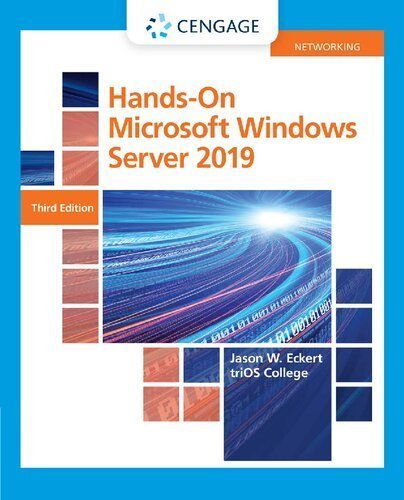
Hands-On Microsoft Windows Server 2019 3rd Edition by Jason Eckert, ISBN-13: 978-0357436158
Original price was: $50.00.$19.99Current price is: $19.99.
Safe & secure checkout
Description
Description
Hands-On Microsoft Windows Server 2019 3rd Edition by Jason Eckert, ISBN-13: 978-0357436158
[PDF eBook eTextbook]
- Publisher: Cengage Learning; 3rd edition (June 5, 2020)
- Language: English
- 624 pages
- ISBN-10: 0357436156
- ISBN-13: 978-0357436158
Eckert’s HANDS-ON MICROSOFT WINDOWS SERVER 2019 equips you with a solid foundation in basic server administration — no prior experience required. It empowers you with the knowledge to manage servers on small to large networks and maximize Windows Server 2019 administration. Using a logical topic flow and step-by-step exercises, it delivers thorough coverage of core Windows Server 2019 features. You will learn how to deploy Windows Server 2019 in a variety of different environments — including those that rely on virtualization and containers — and how to configure and manage server storage, troubleshoot performance issues and work with common Windows Server technologies and network services, such as Active Directory, DNS, DHCP, IPAM, file sharing, printing and remote access. Numerous hands-on projects and MindTap activities enable you to put what you learn into real-world practice.
Table of Contents:
Brief Contents
Table of Contents
Introduction
Module 1: Getting Started with Windows Server 2019
Using Windows Server 2019 within an Organization
Windows Server 2019 Features
Windows Server 2019 Editions
Preparing for a Windows Server 2019 Installation
Installing Windows Server 2019
Post-Installation Configuration
Selecting a Windows Server 2019 Lab Environment
Module Summary
Key Terms
Review Questions
Hands-On Projects
Module 2: Configuring Windows Server 2019
Working with Server Manager
Working with the Windows Admin Center
Configuring Server Hardware Devices
Verifying System Files
Configuring Windows Settings
The Windows Registry
Using Windows PowerShell
Module Summary
Key Terms
Review Questions
Hands-On Projects
Module 3: Implementing Hyper-V and Rapid Server Deployment
Implementing Hyper-V
Rapid Server Deployment
Module Summary
Key Terms
Review Questions
Hands-On Projects
Module 4: Introduction to Active Directory and Account Management
Working with Local Users and Groups
Active Directory Basics
Installing Active Directory
Configuring Active Directory
Managing Active Directory Objects
Read-Only Domain Controllers
Module Summary
Key Terms
Review Questions
Hands-On Projects
Module 5: Configuring Resource Access
Configuring Folder and File Attributes
Managing Folder and File Security
Configuring Shared Folders
Implementing Distributed File System
Implementing Quotas and File Screens
Module Summary
Key Terms
Review Questions
Hands-On Projects
Module 6: Configuring Printing
Windows Printing Basics
Configuring a Windows Server 2019 Print Server
Managing Print Jobs
Monitoring and Troubleshooting Printers
Module Summary
Key Terms
Review Questions
Hands-On Projects
Module 7: Configuring and Managing Data Storage
Windows Server 2019 Local Storage Options
Creating and Managing Local Volumes
Accessing and Configuring SAN Storage
Managing Volume Data
Module Summary
Key Terms
Review Questions
Hands-On Projects
Module 8: Configuring and Managing Network Services
Understanding DNS
Configuring a DNS Server
Troubleshooting DNS
Configuring WINS
Understanding DHCP
Configuring a DHCP Server
Troubleshooting DHCP
Module Summary
Key Terms
Review Questions
Hands-On Projects
Module 9: Configuring and Managing Remote Access Services
Understanding Organization Networks and Remote Access
Understanding VPNs
Implementing VPNs
Understanding DirectAccess
Implementing DirectAccess
Understanding Remote Desktop
Implementing Remote Desktop Services
Module Summary
Key Terms
Review Questions
Hands-On Projects
Module 10: Configuring Web Services and Cloud Technologies
Understanding the Cloud
Configuring Web Services
Configuring Containers
Configuring the Windows Subsystem for Linux
Configuring Linux Containers on Windows
Implementing Windows Server 2019 in a Cloud Environment
Module Summary
Key Terms
Review Questions
Hands-On Projects
Module 11: Managing and Securing Windows Networks
Configuring Group Policy
Deploying Public Key Certificates
Implementing 802.1X Wireless
Configuring Windows Server Update Services
Configuring Windows Defender
Module Summary
Key Terms
Review Questions
Hands-On Projects
Module 12: Monitoring and Troubleshooting Windows Server 2019
Monitoring and Troubleshooting Methodology
Monitoring and Troubleshooting Tools
Resolving Common System Problems
Module Summary
Key Terms
Review Questions
Hands-On Projects
Glossary
Index
Jason W. Eckert is an experienced technical trainer, consultant and bestselling author in the information technology industry. His diverse IT background and expertise include more than 40 IT certifications, three decades of IT and development experience, six published apps and 26 published textbooks covering such topics as UNIX, Linux, Apache, MySQL, Windows Server, Security, Microsoft Exchange, PowerShell, BlackBerry Enterprise Server, and Video Game Development. In addition, he serves as the dean of technology at triOS College, where he continues to refine and improve college technology programs. For more information, visit jasoneckert.net.
What makes us different?
• Instant Download
• Always Competitive Pricing
• 100% Privacy
• FREE Sample Available
• 24-7 LIVE Customer Support

Reviews
There are no reviews yet.