

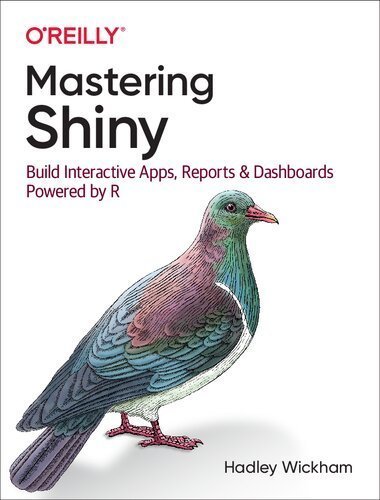
Mastering Shiny: Build Interactive Apps, Reports, and Dashboards Powered by R, ISBN-13: 978-1492047384
Original price was: $50.00.$14.99Current price is: $14.99.
Safe & secure checkout
Description
Description
Mastering Shiny: Build Interactive Apps, Reports, and Dashboards Powered by R, ISBN-13: 978-1492047384
[PDF eBook eTextbook]
- Publisher: O’Reilly Media; 1st edition (June 8, 2021)
- Language: English
- 369 pages
- ISBN-10: 1492047384
- ISBN-13: 978-1492047384
Master the Shiny web framework—and take your R skills to a whole new level. By letting you move beyond static reports, Shiny helps you create fully interactive web apps for data analyses. Users will be able to jump between datasets, explore different subsets or facets of the data, run models with parameter values of their choosing, customize visualizations, and much more.
Hadley Wickham from RStudio shows data scientists, data analysts, statisticians, and scientific researchers with no knowledge of HTML, CSS, or JavaScript how to create rich web apps from R. This in-depth guide provides a learning path that you can follow with confidence, as you go from a Shiny beginner to an expert developer who can write large, complex apps that are maintainable and performant.
- Get started: Discover how the major pieces of a Shiny app fit together
- Put Shiny in action: Explore Shiny functionality with a focus on code samples, example apps, and useful techniques
- Master reactivity: Go deep into the theory and practice of reactive programming and examine reactive graph components
- Apply best practices: Examine useful techniques for making your Shiny apps work well in production
Who Should Read This Book?
This book is aimed at two main audiences. R users who are interested in learning about Shiny in order to turn their analyses into interactive web apps. To get the most out of this book, you should be comfortable using R to do data analysis and should have written at least a few functions.
Existing Shiny users who want to improve their knowledge of the theory underlying Shiny in order to write higher-quality apps faster and more easily. You should find this book particularly helpful if your apps are starting to get bigger and you’re starting to have problems managing the complexity.
Table of Contents:
Preface
What Is Shiny?
Who Should Read This Book?
What Will You Learn?
What Won’t You Learn?
Prerequisites
Conventions Used in This Book
Using Code Examples
O’Reilly Online Learning
How to Contact Us
Acknowledgments
How This Book Was Built
I. Getting Started
1. Your First Shiny App
Introduction
Create App Directory and File
Running and Stopping
Adding UI Controls
Adding Behavior
Reducing Duplication with Reactive Expressions
Summary
Exercises
2. Basic UI
Introduction
Inputs
Common Structure
Free Text
Numeric Inputs
Dates
Limited Choices
File Uploads
Action Buttons
Exercises
Outputs
Text
Tables
Plots
Downloads
Exercises
Summary
3. Basic Reactivity
Introduction
The Server Function
Input
Output
Reactive Programming
Imperative Versus Declarative Programming
Laziness
The Reactive Graph
Reactive Expressions
Execution Order
Exercises
Reactive Expressions
The Motivation
The App
The Reactive Graph
Simplifying the Graph
Why Do We Need Reactive Expressions?
Controlling Timing of Evaluation
Timed Invalidation
On Click
Observers
Summary
4. Case Study: ER Injuries
Introduction
The Data
Exploration
Prototype
Polish Tables
Rate Versus Count
Narrative
Exercises
Summary
II. Shiny in Action
5. Workflow
Development Workflow
Creating the App
Seeing Your Changes
Controlling the View
Debugging
Reading Tracebacks
Tracebacks in Shiny
The Interactive Debugger
Case Study
Debugging Reactivity
Getting Help
Reprex Basics
Making a Reprex
Making a Minimal Reprex
Case Study
Summary
6. Layout, Themes, HTML
Introduction
Single-Page Layouts
Page Functions
Page with Sidebar
Multirow
Exercises
Multipage Layouts
Tabsets
Navlists and Navbars
Bootstrap
Themes
Getting Started
Shiny Themes
Plot Themes
Exercises
Under the Hood
Summary
7. Graphics
Interactivity
Basics
Clicking
Other Point Events
Brushing
Modifying the Plot
Interactivity Limitations
Dynamic Height and Width
Images
Summary
8. User Feedback
Validation
Validating Input
Canceling Execution with req()
req() and Validation
Validate Output
Notifications
Transient Notification
Removing on Completion
Progressive Updates
Progress Bars
Shiny
Waiter
Spinners
Confirming and Undoing
Explicit Confirmation
Undoing an Action
Trash
Summary
9. Uploads and Downloads
Upload
UI
Server
Uploading Data
Download
Basics
Downloading Data
Downloading Reports
Case Study
Exercises
Summary
10. Dynamic UI
Updating Inputs
Simple Uses
Hierarchical Select Boxes
Freezing Reactive Inputs
Circular References
Interrelated Inputs
Exercises
Dynamic Visibility
Conditional UI
Wizard Interface
Exercises
Creating UI with Code
Getting Started
Multiple Controls
Dynamic Filtering
Dialog Boxes
Exercises
Summary
11. Bookmarking
Basic Idea
Updating the URL
Storing Richer State
Bookmarking Challenges
Exercises
Summary
12. Tidy Evaluation
Motivation
Data-Masking
Getting Started
Example: ggplot2
Example: dplyr
User-Supplied Data
Why Not Use Base R?
Tidy-Selection
Indirection
Tidy-Selection and Data-Masking
parse() and eval()
Summary
III. Mastering Reactivity
13. Why Reactivity?
Introduction
Why Do We Need Reactive Programming?
Why Can’t You Use Variables?
What About Functions?
Event-Driven Programming
Reactive Programming
A Brief History of Reactive Programming
Summary
14. The Reactive Graph
Introduction
A Step-by-Step Tour of Reactive Execution
A Session Begins
Execution Begins
Reading a Reactive Expression
Reading an Input
Reactive Expression Completes
Output Completes
The Next Output Executes
Execution Completes, Outputs Flushed
An Input Changes
Invalidating the Inputs
Notifying Dependencies
Removing Relationships
Re-execution
Exercises
Dynamism
The Reactlog Package
Summary
15. Reactive Building Blocks
Reactive Values
Exercises
Reactive Expressions
Errors
on.exit()
Exercises
Observers and Outputs
Isolating Code
isolate()
observeEvent() and eventReactive()
Exercises
Timed Invalidation
Polling
Long-Running Reactives
Timer Accuracy
Exercises
Summary
16. Escaping the Graph
Introduction
What Doesn’t the Reactive Graph Capture?
Case Studies
One Output Modified by Multiple Inputs
Accumulating Inputs
Pausing Animations
Exercises
Antipatterns
Summary
IV. Best Practices
17. General Guidelines
Introduction
Code Organization
Testing
Dependency Management
Source Code Management
Continuous Integration/Deployment
Code Reviews
Summary
18. Functions
File Organization
UI Functions
Other Applications
Functional Programming
UI as Data
Server Functions
Reading Uploaded Data
Internal Functions
Summary
19. Shiny Modules
Motivation
Module Basics
Module UI
Module Server
Updated App
Namespacing
Naming Conventions
Exercises
Inputs and Outputs
Getting Started: UI Input and Server Output
Case Study: Selecting a Numeric Variable
Server Inputs
Modules Inside of Modules
Case Study: Histogram
Multiple Outputs
Exercises
Case Studies
Limited Selection and Other
Wizard
Dynamic UI
Single Object Modules
Summary
20. Packages
Converting an Existing App
Single File
Module Files
A Package
Benefits
Workflow
Sharing
Extra Steps
Deploying Your App-Package
R CMD check
Summary
21. Testing
Testing Functions
Basic Structure
Basic Workflow
Key Expectations
User Interface Functions
Workflow
Code Coverage
Keyboard Shortcuts
Workflow Summary
Testing Reactivity
Modules
Limitations
Testing JavaScript
Basic Operation
Case Study
Testing Visuals
Philosophy
When Should You Write Tests?
Summary
22. Security
Data
Compute Resources
23. Performance
Dining at Restaurant Shiny
Benchmark
Recording
Replay
Analysis
Profiling
The Flame Graph
Profiling R Code
Profiling a Shiny App
Limitations
Improve Performance
Caching
Basics
Caching a Reactive
Caching Plots
Cache Key
Cache Scope
Other Optimizations
Schedule Data Munging
Manage User Expectations
Summary
Index
Hadley Wickham is Chief Scientist at RStudio, winner of the 2019 COPSS award, and a member of the R Foundation. He builds tools (both computational and cognitive) to make data science easier, faster, and more fun. His work includes packages for data science (like the tidyverse, which includes ggplot2, dplyr, and tidyr)and principled software development (e.g. roxygen2, testthat, and pkgdown). He is also a writer, educator, and speaker promoting the use of R for data science.
What makes us different?
• Instant Download
• Always Competitive Pricing
• 100% Privacy
• FREE Sample Available
• 24-7 LIVE Customer Support

Reviews
There are no reviews yet.